How do I reset my Honeywell Thermostat?
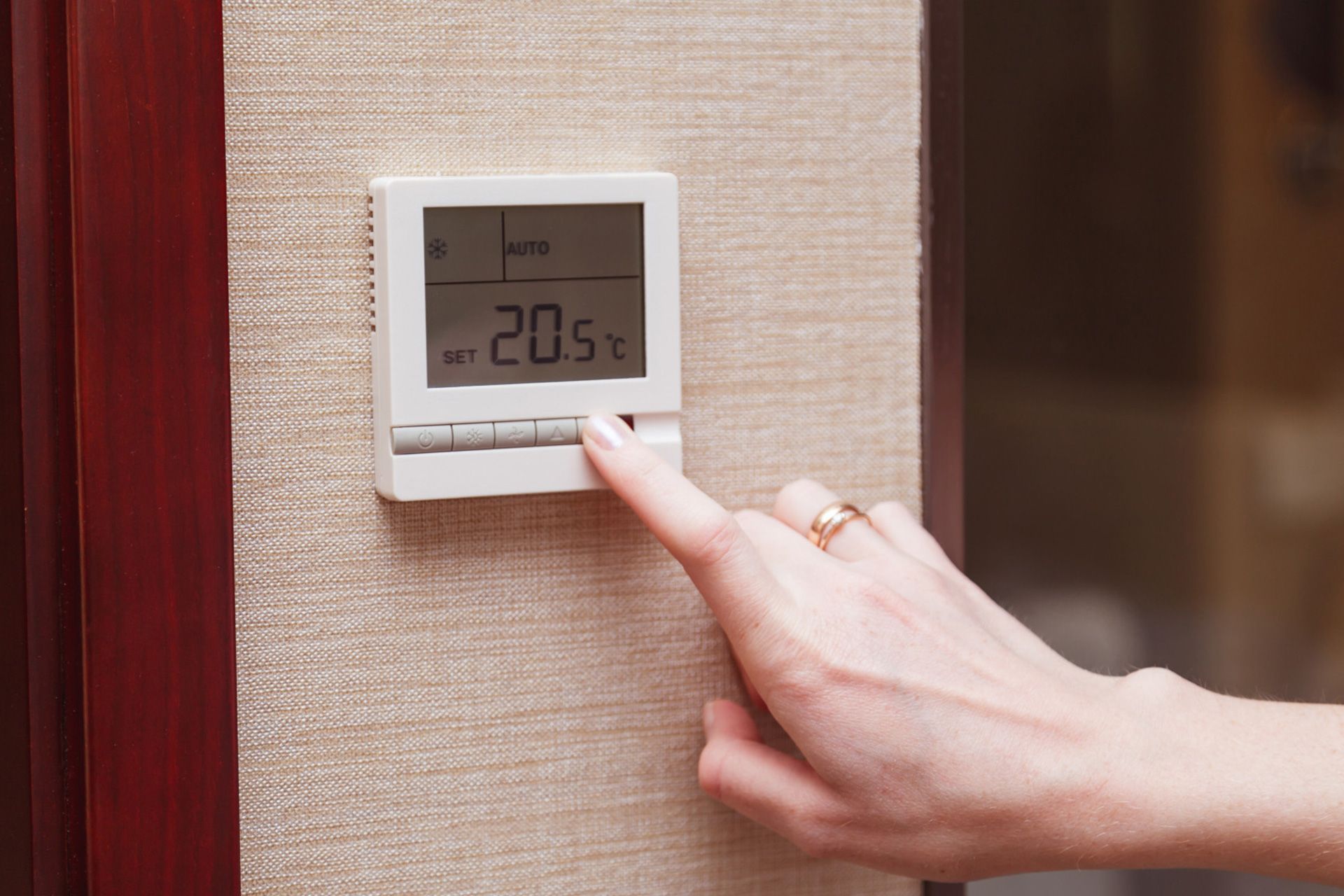
A thermostat controls your entire heating and cooling system. If it stops working properly, your home can quickly become uncomfortable. Knowing how to perform a Honeywell thermostat reset can help fix many common problems without needing professional repair.
Many homeowners deal with issues like unresponsive screens, incorrect temperatures, or systems not turning on. In many cases, resetting the thermostat solves these problems quickly.
In this guide, you’ll learn how to reset Honeywell thermostat models, when to reset, different reset types, and what to do if the problem continues.
Why Your Honeywell Thermostat May Need a Reset
Thermostats can develop small glitches over time. These are often caused by power issues, software errors, or incorrect settings.
Common Reasons for Resetting
- Thermostat screen is frozen
- AC or heating system not turning on
- Temperature readings are incorrect
- Wi-Fi connection is not working
- Schedule settings are not responding
- Device is lagging or slow
A reset clears these minor issues and helps restore normal operation.
Types of Honeywell Thermostat Resets
Before resetting, it’s important to understand the different types of resets available.
1. Soft Reset
A soft reset simply restarts the thermostat.
- Keeps your settings intact
- Fixes small glitches
- Quick and easy
2. Factory Reset
A factory reset returns the thermostat to its original settings.
- Deletes all schedules and preferences
- Removes Wi-Fi connections
- Useful for major issues
3. Wi-Fi Reset
A Wi-Fi reset reconnects your thermostat to your internet network.
- Fixes app connection issues
- Keeps most settings unchanged
How to Reset Honeywell Thermostat (Detailed Steps)
Different models may vary slightly, but these steps work for most Honeywell thermostats.
Reset Using Batteries (Basic Models)
This method works for many older or non-programmable thermostats.
Steps:
- Turn off the thermostat
- Remove it from the wall plate
- Take out the batteries
- Insert batteries backward for 5–10 seconds
- Remove and insert them correctly
- Reattach the thermostat
This method clears stored energy and resets internal memory.
Reset Using Menu (Programmable Models)
Modern thermostats allow resets through settings.
Steps:
- Press the Menu button
- Scroll to Reset
- Select Factory Reset
- Confirm your selection
- Wait for the device to restart
After this, you’ll need to reprogram your schedule and settings.
Reset Smart Honeywell Thermostats
Smart thermostats have additional features like Wi-Fi and app control.
Steps:
- Go to the Menu
- Select Preferences
- Choose Restore Factory Settings
- Confirm the reset
You will need to reconnect your device to Wi-Fi and your mobile app.
When Should You Reset Your Thermostat?
Resetting your thermostat is helpful in many situations.
1. After a Power Outage
Power outages can disrupt settings. A reset helps restore normal operation.
2. When the System Is Not Responding
If your AC or heating system does not turn on, resetting may fix communication issues.
3. Incorrect Temperature Readings
If the thermostat shows the wrong temperature, a reset can recalibrate it.
4. Wi-Fi or App Problems
Smart thermostats may lose connection. Resetting helps reconnect them.
5. Before Installing a New System
Resetting removes old settings and prepares the thermostat for a new HVAC system.
Common Problems After Reset (And How to Fix Them)
Sometimes, resetting alone does not solve the issue. Here are common problems and solutions.
Thermostat Still Not Working
- Check batteries and replace if needed
- Ensure proper wiring connections
- Verify circuit breakers are on
AC or Heater Not Turning On
- Confirm thermostat mode (cool/heat)
- Check temperature settings
- Make sure system power is active
Wi-Fi Connection Issues
- Restart your router
- Re-enter Wi-Fi password
- Ensure your thermostat supports your network
How to Maintain Your Thermostat
Proper maintenance reduces the need for resets.
1. Replace Batteries Regularly
Change batteries every 6–12 months to prevent power issues.
2. Keep It Clean
Dust can affect sensors. Clean the thermostat regularly.
3. Avoid Direct Sunlight
Heat sources can cause incorrect readings.
4. Update Software
Smart thermostats need updates for best performance.
5. Schedule HVAC Maintenance
Regular servicing ensures your entire system works properly.
Real-Life Examples
Example 1: A homeowner noticed their thermostat screen was blank. Replacing and resetting the batteries restored normal function.
Example 2: After a storm, the thermostat lost its settings. A factory reset fixed the issue and restored system control.
Example 3: A smart thermostat failed to connect to Wi-Fi. Resetting and reconnecting solved the problem quickly.
These examples show how simple resets can solve common issues.
Benefits of Resetting Your Thermostat
- Fixes minor system errors quickly
- Restores communication with HVAC system
- Improves energy efficiency
- Saves money on unnecessary repairs
- Helps maintain consistent indoor comfort
Resetting is often the fastest way to solve thermostat issues.
When to Call a Professional
Sometimes, resetting is not enough. Call an HVAC expert if:
- Thermostat remains unresponsive
- Wiring appears damaged
- HVAC system does not respond
- Issues keep coming back
Professional help ensures safe and accurate repairs.
Additional Tips for Homeowners
- Keep thermostat instructions handy
- Use programmable settings for efficiency
- Monitor system performance regularly
- Avoid frequent manual adjustments
- Install smart thermostats for better control
These tips help maintain comfort and reduce energy costs.
Conclusion
Knowing how to perform a Honeywell thermostat reset can save time and quickly fix common HVAC issues. Whether it’s a frozen screen, incorrect temperature, or connection problem, resetting your thermostat is often the first and easiest solution.
If the problem continues, Old School Air Conditioning offers expert thermostat troubleshooting, repair, and installation services. Their experienced technicians ensure your HVAC system runs efficiently and keeps your home comfortable year-round. With Old School Air Conditioning, you can trust your system is in expert hands.
FAQs
How do I reset my Honeywell thermostat?
You can reset it by removing batteries or using the reset option in the menu, depending on the model.
Will resetting delete my settings?
A factory reset deletes all settings, while a soft reset keeps them.
Why is my thermostat not working?
It could be due to battery issues, wiring problems, or software errors.
Can I reset my thermostat myself?
Yes, most resets are simple and safe for homeowners to perform.
What should I do if a reset doesn’t resolve the issue?
Check power supply and wiring or contact a professional technician.
Does resetting fix Wi-Fi issues?
Yes, a Wi-Fi reset can help reconnect your thermostat to your network.
How often should I reset my thermostat?
Only when troubleshooting issues—not as regular maintenance.
Disclaimer: The information on this website and blog is for general informational purposes only and is not professional advice. We make no guarantees of accuracy or completeness. We disclaim all liability for errors, omissions, or reliance on this content. Always consult a qualified professional for specific guidance.
Search Blog
Recent Posts